




A RevOps health check looks at how well your revenue operations work inside HubSpot. It checks your data, pipeline, reporting and team process for the gaps that quietly leak revenue. If you recognise three or more of the 12 signs below, your HubSpot is probably leaking revenue right now.
The good news: every sign on this list is fixable once you can see it.
The 12 signs at a glance
- Duplicate and stale records clog your CRM
- Deals are missing contacts or key details
- Contact sources are vague or catch-all
- Deals sit open for weeks with no activity
- Close dates are expired or clearly wrong
- Pipeline stages do not match how you sell
- Leadership does not trust the reports
- Your forecast keeps missing
- You cannot see which channels create revenue
- Sales and marketing argue about lead quality
- Leads come in but pipeline does not grow
- You avoid AI because the data is too messy

What a RevOps health check is
RevOps means revenue operations: the way marketing, sales and service work together to turn effort into revenue. A health check looks at the whole system, not one team.
It checks four things: your data, your pipeline, your reporting and your process. When those four are healthy, revenue flows. When they are not, it leaks. To see how the full system should fit together, read our guide on how to build a revenue system in HubSpot.
Why HubSpot portals leak revenue
Most leaks build up slowly, because portals grow by accident rather than by design. Teams add workflows, properties and pipelines without stepping back to check the whole system. Small problems pile up, and none of them looks urgent on its own. Together they cause slow decisions, weak forecasts and revenue that never lands.
A health check brings those leaks into the open so you can fix them.
The 12 signs
Read each one and keep a count of the ones that sound like your business.
Data and CRM
1. Duplicate and stale records clog your CRM. Old, duplicated and out-of-date records make your data unreliable. Reporting and targeting break down when the same customer appears three times. What it costs: wasted spend, poor targeting and reports nobody trusts.
2. Deals are missing contacts or key details. Deals with no contact are orphan deals. You cannot see who is buying or follow up properly. In our audit work we often find around half of deals with no associated contact. What it costs: deals go cold because follow-up quietly fails.
3. Contact sources are vague or catch-all. When most contacts sit under a catch-all source, you cannot tell where leads come from. We regularly see the large majority of contacts tagged this way. What it costs: budget goes to the wrong channels, because attribution is guesswork.
Pipeline and sales
4. Deals sit open for weeks with no activity. Open deals with no recent activity are usually dead, but they still inflate your pipeline and make the numbers look better than they are. What it costs: false confidence, missed follow-up and a pipeline you cannot trust.
5. Close dates are expired or clearly wrong. If close dates are in the past or obviously invented, your forecast is built on fiction. We often find almost every open deal carrying an expired close date. What it costs: forecasts miss and leadership stops trusting the numbers.
6. Pipeline stages do not match how you sell. If your stages reflect internal admin rather than how buyers move, adoption drops and reporting gets messy. What it costs: weak forecasting and a sales team that works around the CRM.
Reporting and forecasting
7. Leadership does not trust the reports. When leaders ask for numbers outside HubSpot, or double-check everything in spreadsheets, the reporting has already failed. What it costs: slow decisions and a system nobody relies on.
8. Your forecast keeps missing. A forecast that is regularly wrong is a symptom. The cause is usually messy pipeline and data underneath. What it costs: poor planning, cash-flow surprises and lost trust.
9. You cannot see which channels create revenue. If you cannot trace revenue back to the campaigns and sources that created it, you are spending blind. What it costs: budget on channels that never pay back.
Process and alignment
10. Sales and marketing argue about lead quality. When marketing says the leads are good and sales says they are not, the qualification rules are unclear and the two teams are working from different numbers. What it costs: good leads get dropped and effort is wasted on both sides.
11. Leads come in but pipeline does not grow. If leads arrive and pipeline stays flat, the handoff between marketing and sales is broken somewhere. What it costs: you pay to generate leads that never become deals.
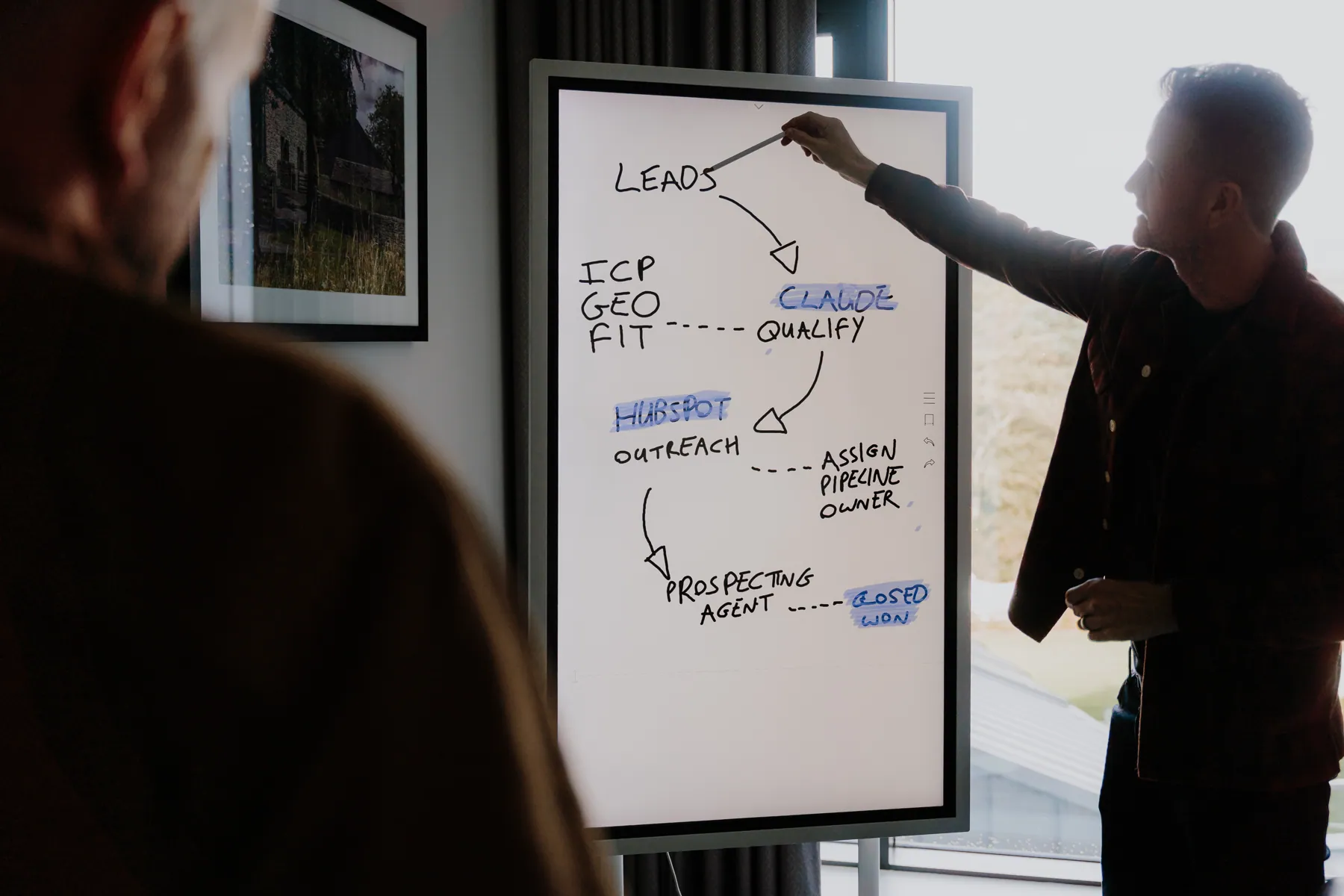
12. You avoid AI because the data is too messy. If you want to use AI but do not trust the data, the foundation needs work. AI built on messy data gives misleading answers. Our complete Claude and HubSpot guide explains why clean data comes first. What it costs: you miss out on faster reporting, forecasting and follow-up.
How many signs is too many?
Add up your count. Three or more means your HubSpot is leaking revenue now.
| Your score | What it means |
|---|---|
| 0 to 2 signs | Minor gaps. Worth a tidy-up. |
| 3 to 5 signs | Active leaks. Time for a proper audit. |
| 6 or more | Serious leaks. The system needs rebuilding. |
The more signs you recognise, the more revenue is slipping away each month, even if you cannot see it on a dashboard.
What fixing them gets you
A health check does more than list problems. It shows you the leaks that cost the most and the order to fix them in. The usual wins:
- clean, reliable CRM data
- a pipeline that reflects how you sell
- reporting leadership can trust
- attribution that shows what works
- clear handoffs between marketing and sales
- data that is safe to use with AI
If you want to run some checks yourself first, our guide on how to audit HubSpot for revenue leaks is a good place to start.
What to do if you recognise these signs
Work through the leaks in order, starting with the foundation.
- Score yourself. Count the signs and note the worst ones.
- Fix the data first. Clean duplicates, orphan deals and broken attribution.
- Sort the pipeline. Match stages to how you sell and clear out dead deals.
- Rebuild reporting. Give leadership numbers they can trust, by source.
- Close the gaps. Agree lead quality rules and clean handoffs between teams.
- Then add AI. With clean data, use it for reporting and follow-up.
Once the foundation is clean, you can go further. Our Claude and HubSpot guide shows what becomes possible next.
How we can help
If you recognised your HubSpot in these signs, the first step is seeing where the leaks are and what they cost. Our HubSpot audit does exactly that: a fixed-price, read-only review scored out of 100 across 13 areas, with a senior second pass and a prioritised plan. If you would rather have someone own the fixes month to month, that is what Fractional RevOps is for.
FAQs
How do I know if my HubSpot is leaking revenue? Count the signs above. Three or more means it probably is.
What causes revenue leaks in HubSpot? Messy data, dead deals, broken attribution, weak reporting and poor handoffs between marketing and sales. They build up slowly.
How is a health check different from an audit? A health check tells you whether you have a problem. A full audit reads all your data and produces a detailed fix plan.
Do I need clean data before I use AI in HubSpot? Yes. Fixing the data is the first step to using AI safely.
Summary
Revenue leaks are easy to miss because no single sign looks urgent. Together they cost you leads, pipeline and revenue every month. Score yourself against the 12 signs, fix the foundation first, and turn HubSpot back into a system that grows revenue instead of losing it.